Showing posts with label cloud computing. Show all posts

Friday, 26 August 2011

CPD23 - Thing 13 - Online collaboration and file sharing (Google Docs, Dropbox and Wikis)

After my mammoth post for Thing 12, I am now turning belatedly to the subject of online collaboration via tools such as Google Docs, Dropbox and Wikis.

Collaborative file sharing tools

To be honest I've not yet had reasons to use Google Docs or Dropbox. So, as suggested I tried out one of the suggested tools - in this case Google Docs (purely because I don't want to get into the rigmarole of downloading more software and because of network restrictions on my work PC).

On first impressions, Google Docs is very easy to use if you want to do simple editing and sharing. And to test it I've uploaded and shared a video of my dog:   - https://docs.google.com/leaf?id=0B1b_6boY5HbLYzQ3ZjQ5NDEtZmE2Ni00ZTIxLTk0ZDgtYmRhNDgyNWIxYWY1&hl=en_US

However, I am more than well aware that it can't provide every functionality, as fellow CPD23 Things blog Sherm Sez highlights much better than I have. He puts out for instance, that it doesn't provide support lots of Excel functions and it is limiting in requiring an active internet connection (which is where Dropbox holds it own more by being accessible in an offline version).

In reality, however I mainly edit documents collaboratively in a work context. Since I work for a large government department we already have our own internal bespoke collaborative secure workspace or electronic document records management system (EDRMS) called Matrix.

This effectively has the same functionality as both Google Docs and Dropbox allowing access to:
  • edit, create and upload new documents
  • download, amend, edit and reupload documents
  • add keywords to describe documents
  • view author and revision history 
  • access previous document versions
  • search functionality
  • connection to email software (eg Microsoft Outlook) and so can send either pointers or files to mail recipients or upload an email to system
The difference between an internal EDRM system such as Matrix, which is quite sophisticated, is that it is only accessible on internal networks and it is not so easy if you are seeking comments from outside government departments or organisations.

I do sometimes seek external comments and I could feasibly see myself using Google Docs to share some draft website guidance material in the future. However, I'd be very wary about privacy issues and settings. Sharing information in this way would only ever be applicable to content that is non-contentious and unrestricted content. For wider government information, alternative secure systems would have to be found.
The value in using free or low cost online collaborative tools, such as Google Docs and Dropbox, is that if used wisely in the right context, they can save money for government departments and organisations looking to find quick and simple ways to share and collaborate on particular issues. This is highlighted in a blog post "Doing more with less: Vive la frugalista" by Jenny Poole who works at the Department for Business, Innovation and Skills (BIS). She highlights the professional value for BIS of using another online collaborative tool called Huddle as an alternative to complex intranet systems where possible.

The issue of taking advantage of the opportunities for online collabarative opportunities offered via 'cloud computing' networking tools while being mindful of secruity considerations is one of the biggest work trends that IT teams across government are grappling with. The Cabinet Office, for instance, has information on how the public sector could use cloud computing in a programme known as the G-Gloud Programme. Also in July 2011 as announced in the IT press, the Foreign Office awarded a contract to Huddle, the online collaborative tools suppliers to provide a cloud computing based system for civil servants to access classified and restricted documents.

Collaborative editing tools

I'd put 'wikis' in a slightly different category description of online collaborative workspace tools. Compared to tools like Google Docs or Dropbox, they have a slightly different end purpose. Google Docs and similar tools are for editing time defined documents or short term collaborative projects. In comparison, wikis are effectively webpages that are constantly evolving. They can be edited, refined and shared into an indefintite future by multiple people - the best example being Wikipedia.

I'll also freely confess here to being a massive fan of Wikipedia. I use it regularly as a ready reference source (eg to check whether Kosovo was a region or a country - answer's on a postcard please! - or to read up on whatever happened to the stars from 'Thirtysomething'). Don't know where I'd be without it!

However, I am of course conscious that its reliability can potentially be called into question because it allows collaborative and anonymous editing is feasibly open to abuse such as false or misleading information. Even if these allegations are not real, its still important for us all to be confident that the information on the site is correct, readable and accurate since it is open to being referenced as fact by everyone including journalists, cited in court, quoted in academic texts and many more daily examples. For this reason, independent analysis of Wikipedia, for instance via the Wiki-Watch software analysis tool, is important.

I've not created a wiki in a work context yet, but have used contributed to others, most notably to the Library Routes project wiki.

In terms of my day to day work, there is the potential need to create a wiki for internal training purposes to replace outdated hard-copy training manuals. One solution to this might be to use the Civil Pages wiki funcationality developed by the Cabinet Office. Daily Mail readers might scoff (see article on 'Civil servants to get own £1m "Facebook" site so they can gossip without fear of public exposure and ridicule') but, this does provide a potential secure internal communications tool.

I'll let you know in a future blog posting what is decided and what route we eventually decide to take - to wiki or not to wiki.

Wednesday, 3 August 2011

CPD23 - Thing 9 - Organising Yourself (Evernote)

....this is Part 2 of Week 6 of the CPD23 Things for Professional Development online learning programme - and is all about organising yourself and your life online.

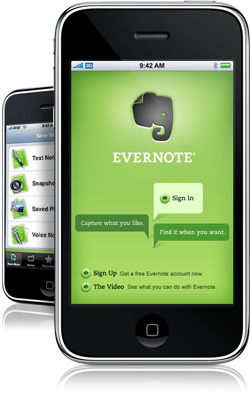
Thing 9 is all about an online tool called Evernote which allows you in the words of the site developers to "remember everything - capture anything, access anywhere, find things first".

I'm new to this tool and at this stage not sure whether I'll use it regularly, but am sure it has its uses - it sells itself as allowing you the ability to take notes on webpages and archive from future consultation and the ability to organise, annotate and tag sorted notes. I kind of advanced Delicious (which allows you tag and share bookmarks).

Advantages and disadvantages of Evernote

From my own point of view I'm often sending email pointers to friends and colleagues which I sometimes want to refer back to myself. This can be annoying because typically I'll have forgotten the original weblink and need to remember where I located it online. Also, since I work across several PCs, I have online bookmark links left, right and centre - so Evernote might be helpful here.

For this reason, I've downloaded Evernote onto my home PC. At first glance I don't find the main screen particularly helpful in terms of layout but maybe that's because I'm not using the application in 'real anger' so to speak. However, other existing users of Evernote seem to praise it highly - see:
There's even a blog dedicated exclusively to tips and advice on using Evernote - see: Ron's Evernote Tips

The downsides for Evernote are that I cannot download onto my work PC due to system restrictions, although I could work round and use the online access which is beneficial.

The Cloud

Evernote is just one example of an application on 'The Cloud' where you can store, share, communicate and run your life online. Of course, using tools like Twitter, Facebook, online photo sharing websites and blogging are other examples.

(PS: If you don't know what I'm talking about, there is a great overview of cloud computing including an overview of how it works, the benefits and how to use if for business purposes which can be found in the guidance on cloud computing on the Businesslink website)

In an ideal world cloud computing means no more pesky PCs which run the risk of hard disk failures and crashes but instead promises an integrated, organised, productive way of working from anytime, anyplace, anywhere - pure heaven!

However, cloud computing is not without its problems - the big bug bear being security concerns but also usability, standardisation and connectivity issues. See a BBC news article about cloud computing for business goes mainstream which highlights some of these concerns further.

Back in October 2010, the team at Channel 5's The Gadget Show featured one of their head-to-head presenter competitions to demonstrate the pros and cons of cloud vs non-cloud computing (View the feature at: http://fwd.five.tv/gadget-show/blog/episode-10-cloud-computing). This was designed to look at looking at which performed better across a range of tasks. The competition showed that the cloud was less helpful if editing a movie or sharing large amounts of data but more useful when sharing information or recovering lost data. Brilliant stuff which was presented in an entertaining way and gave food for thought about the possibilities and limitations of cloud computing for people generally.

The trend seems to be for increasing moves to intangible computing in the ether.

Before too long I wouldn't be surprised if loads more tools and apps start to replace Evernote and other services (indeed I've seen talk online that Delicious might be sold off and I've recently had experience of a book sharing website closing which caused me lots of frustration to transfer my 500+ list of books to a new site).

One interesting example of the trend towards 'cloud computing' is looking at the history of IBM which is now 100 years old. IBM shows where computers came from and where computing is going into the future. IBM have a museum at their Hursley research centre site in the US which includes the first portable computer - the IBM 5100. Nowadays, however IBM is focused on software and development and into the future, the museum will have to get more creative about demonstrating the intangible nature of IBM's modern development as a company. (To find out more see IBM at 100: From typewriters to the cloud including a video of how far we've come in technology terms)

The future definitely seems to be about more mobile devices, apps and tools like Evernote and working online from everyone. More reasons for me to keep up to date, get a smart phone and keep up with the trends. What this will do for my work-life balance I dread to think, but at least I'll be taking steps to become less fuzzy round the edges and more organised.
Powered By Blogger